
Managing multiple workspaces
How to check which workspace you're in and switch between them.
You might find yourself in more than one Fyxer workspace. This most commonly happens if you signed up for a personal account with your work email, and your company later created an organization with auto-add enabled, automatically adding anyone with the same email domain.
How to check your workspaces
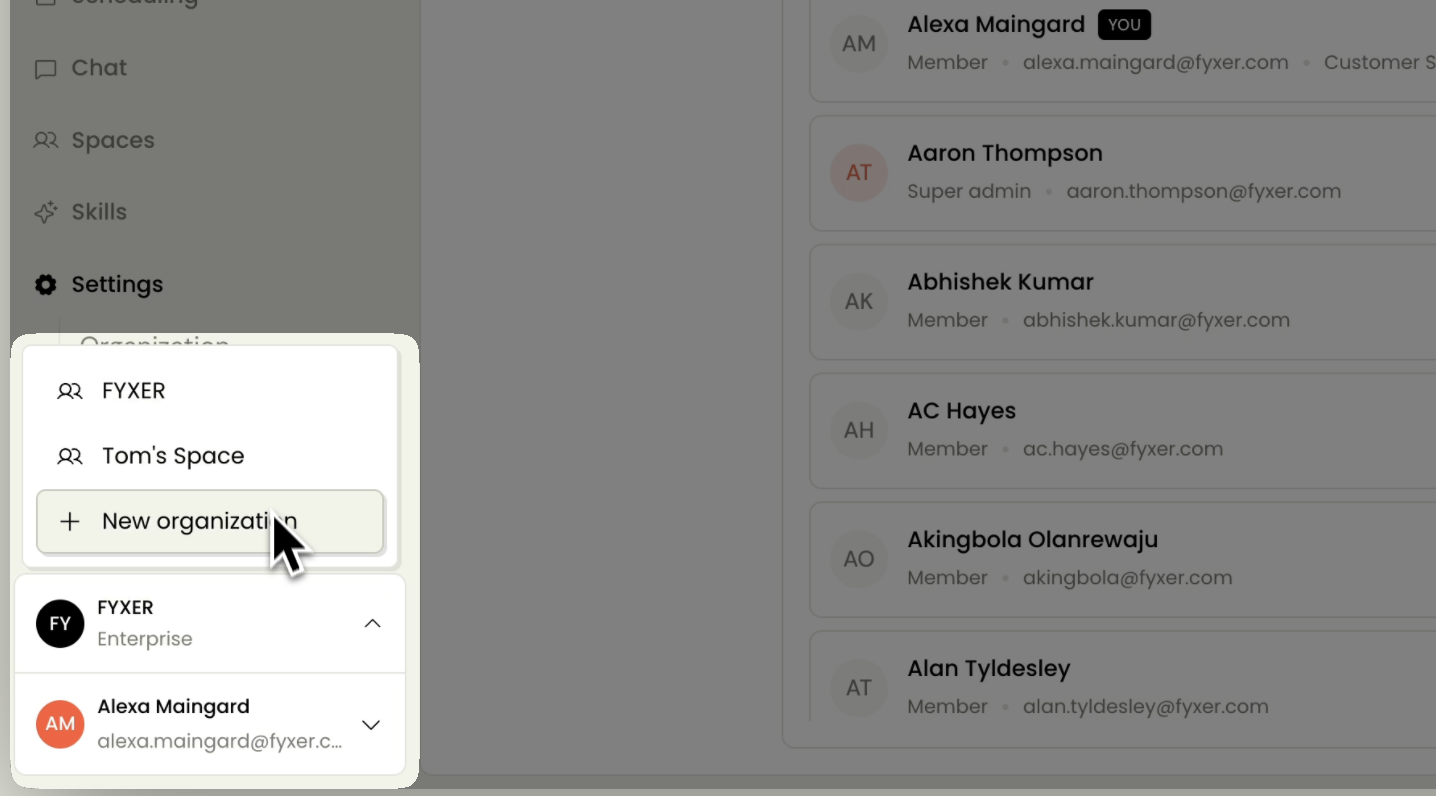
You can see which workspaces you belong to from the bottom-left corner of your Dashboard. Click your organization name to see a list of all workspaces associated with your account.
Switching between workspaces
Select any workspace from the list to switch into it. Each workspace has its own settings, billing, and members, and your preferences, customizations, and meeting recordings are kept separate.
If you want to consolidate to one workspace
If you'd prefer to be in just one workspace, you can leave the other.
Learn more:
Still have questions?
Head to the chat in the bottom right of your Dashboard.