
How often drafts appear and how long they're kept
Choose how often drafts are created and when they're automatically deleted.
To get the right level of support without feeling overwhelmed, you can set how proactive Fyxer is when drafting replies and how long unused drafts are kept.
Both settings are in Dashboard → Drafts → General.
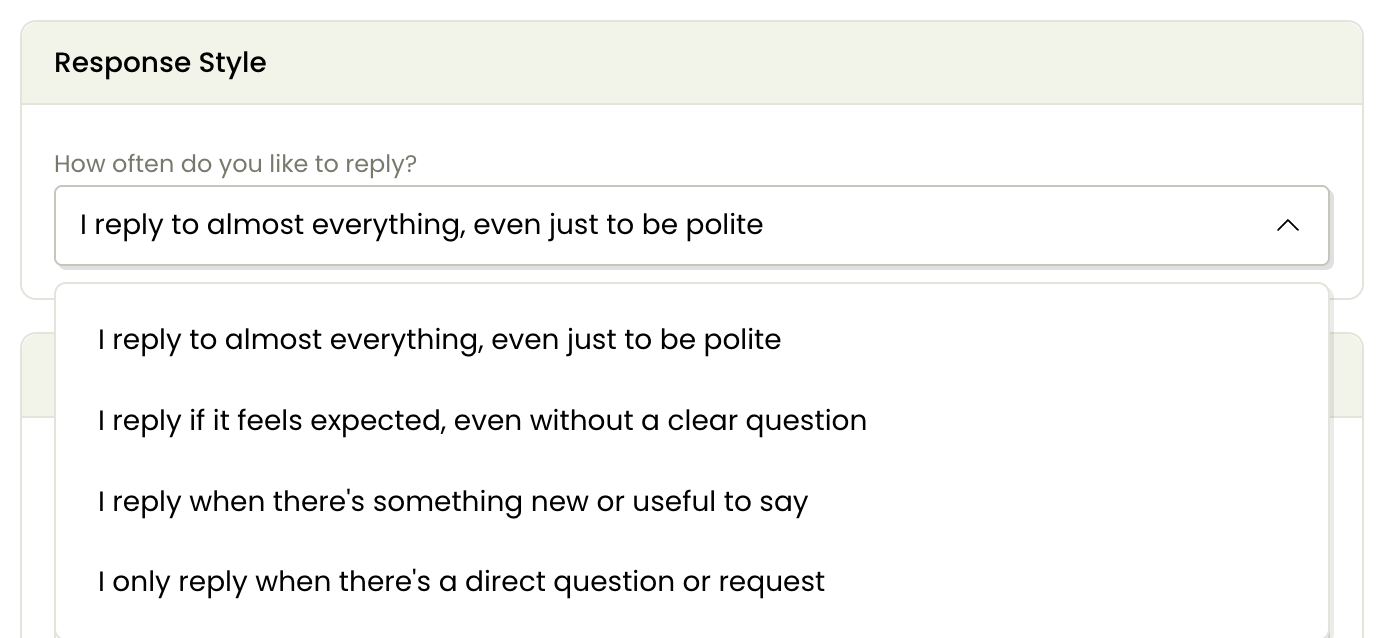
Your response style: how often do you like to reply?
This setting controls how proactive Fyxer is when drafting replies.
Select your preferred reply frequency from the options.
Why this matters
Setting your preferred reply frequency early helps ensure:
Drafts appear at the level you expect
The assistant feels supportive rather than intrusive
Your inbox stays focused on messages that genuinely need attention
With the right frequency setting, Fyxer becomes predictable, helpful, and aligned with how you work.
Set a retention period for unused drafts
To keep your drafts folder clean, Fyxer automatically deletes unused drafts from your inbox. The default is 14 days after generation, but you can adjust this from 1 to 30 days.
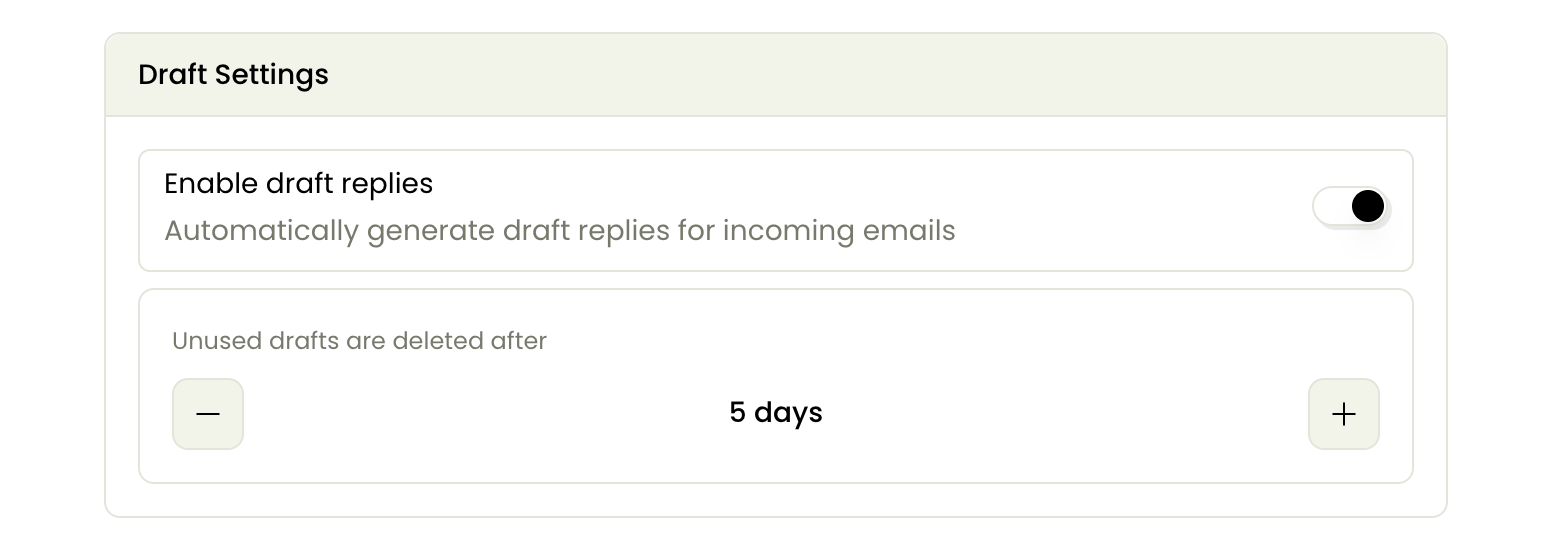
If you're happy with the default 14 days, but want to delete old unused drafts, change the policy to be one day longer and select Update preferences. Then change it back to 14, and update again. All older drafts will then be deleted.
Still have questions?
Head to the chat in the bottom right of your Dashboard.